
The goal of this drop is to transform your calendar from a simple scheduling tool into a high-performing Client Intake Engine that qualifies, vets, and preps leads on autopilot.
If you are only using Calendly to pick a time, you are missing 90% of the value. A link is just a tool; a workflow is an asset. Automation should handle the heavy lifting of qualifying and preparing your leads before the call even starts. This eliminates the back-and-forth and ensures that by the time you show up to the meeting, the lead is already educated and vetted.
Think of your current Calendly link like a blank sticky note. It tells you when to show up, but nothing else. A Power-Workflow turns that sticky note into a personal assistant. This assistant asks the person questions before they book, hands them a brochure so they know who you are, and then writes down their info in your filing cabinet (your CRM) so you don't have to. You stop being a secretary and start being the expert.
Beyond the Booking
In this Strategy Drop, we are moving away from the basic calendar link and toward a fully automated intake engine. We are focusing on creating a system that talks to your other tools so you don't have to.
The blueprint focuses on four core pillars:
-
Calendar Sync: Connecting your primary work calendar so your real-time availability is always accurate.
-
Pre-Qualification: Using automated intake questions to filter and vet leads before they ever hit your calendar.
-
Resource Delivery: Automatically sending prep materials or Advisory Note previews tailored to the specific meeting type.
-
System Integration: Ensuring data moves from the invitee's form to your backend system without a single manual keystroke.
Step-by-Step Implementation
Task A: Building the Intake Engine
- Connect your Google or Outlook calendar to the check for conflicts and add to calendar settings. This ensures you never double-book or miss a meeting because it wasn't on your main display.
-
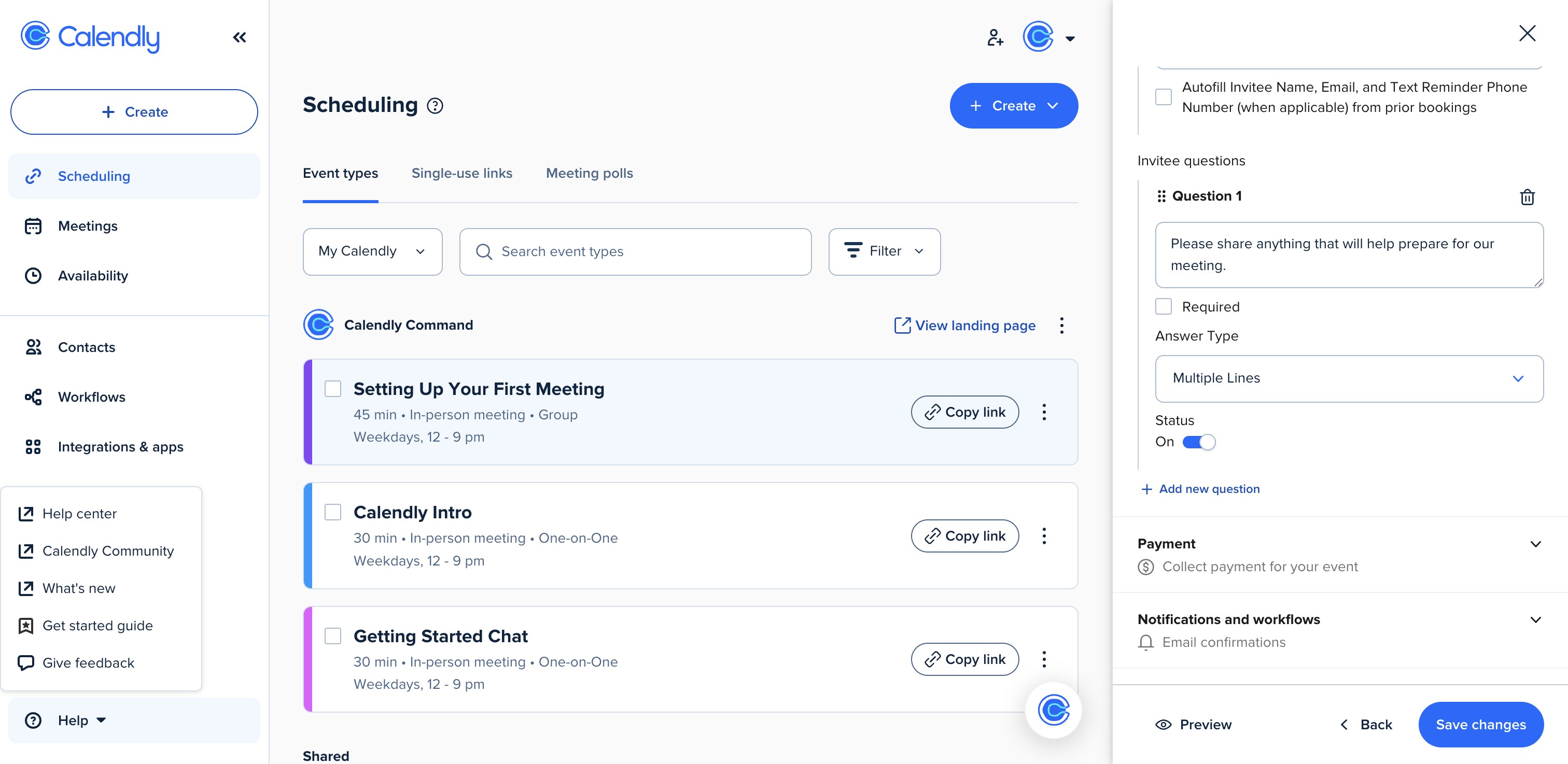
Add 2-3 qualifying questions to your Calendly booking form. Ask about their primary roadblock or their current stage of business.
-
Navigate to the Workflows tab in Calendly. Set up an immediate confirmation that includes a link to a specific resource (like a video or a PDF) so they can learn about your process before you meet.
-
Set an automated reminder that you can set days or hours in advance to reduce no-shows.